A Practical Guide to Contractor Timesheet Approvals
Approvals are where timesheets turn into money. A clear approval process keeps contractors paid on time and gives you a record you can stand behind.

A timesheet is only useful once someone has approved it. Until then it cannot safely go to payroll or onto an invoice. When approvals are slow or unclear, contractors chase, clients query and finance waits. When they work well, nobody notices them at all.
This guide covers how to structure contractor timesheet approvals so they are quick, consistent and easy to trace later.
Give every contractor one named approver
The most common approval problem is not a slow manager. It is nobody being sure who the approver is. A contractor emails three people, each assumes someone else will deal with it, and the timesheet sits untouched.
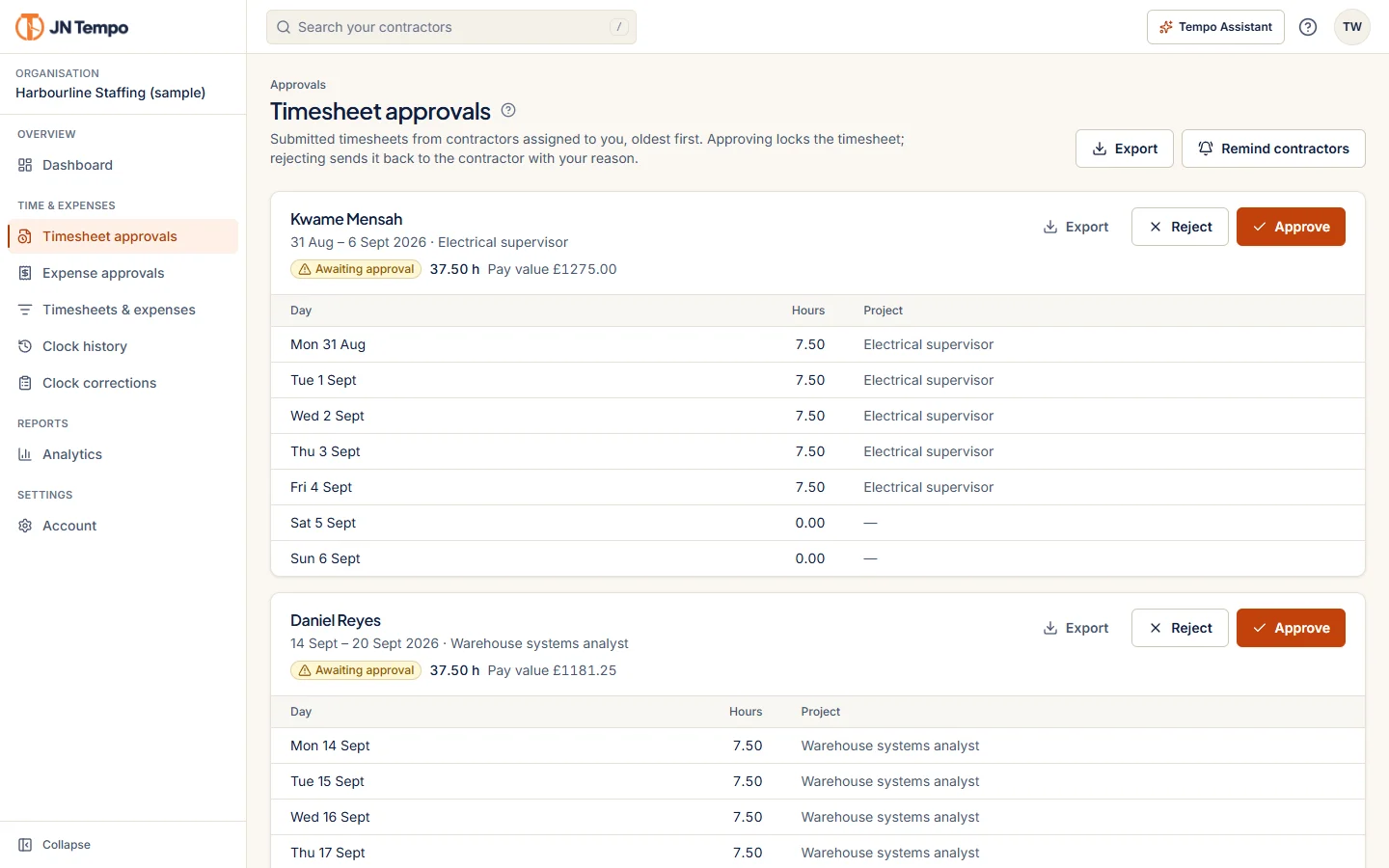
Assign each contractor to a specific manager and make that assignment visible. If a manager is away, decide in advance who covers, rather than leaving approvals to wait for their return. In JN Tempo, admins assign contractors to managers, and each manager has a single approval queue showing the people assigned to them.
Agree what an approver is actually confirming
Approval should mean something specific. Without a shared definition, one manager glances at the total while another checks every day. Write down what approving a timesheet confirms in your organisation.
Writing it down also helps new managers, turning approval from a judgement call into a short routine they can follow in a minute or two per timesheet. A typical definition covers the points below.
- The contractor worked on the days shown.
- The hours are reasonable for the work agreed.
- Time is allocated to the correct project or cost code.
- Any overtime or weekend work was authorised.
- Expenses claimed relate to the placement and have receipts.
Return with a reason, not a vague rejection
When something is wrong, the contractor needs to know exactly what to fix. 'Rejected' on its own leads to a guessing game and often a second rejection. A clear reason, such as 'Tuesday shows 12 hours, please split them between the two projects', gets the timesheet back corrected the first time.
JN Tempo asks managers to give a reason when they return a timesheet, and the contractor is told by email either way, whether it was approved or returned. That closes the loop without the manager having to write a separate message.
Set deadlines on both sides
Most organisations set a deadline for contractors to submit. Fewer set one for managers to approve, yet that is often where the delay sits. Submission status and one click reminders make the contractor side easier to manage, and a dashboard that shows what needs action, rather than a raw list, helps managers clear approvals before they pile up.
A simple pair of deadlines, with a route for anything that slips, works well for most teams.
- Contractors submit by a fixed point after the period ends, for example the first working day.
- Managers approve or return within an agreed number of working days of submission.
- Returned timesheets are resubmitted within one working day.
- Anything still outstanding is escalated to an admin.
Keep expenses in the same flow
If expenses go through a different approver or a separate tool, contractors end up chasing two processes. Keeping timesheets and expenses with the same manager means one person sees the whole picture for that contractor in a period.
In JN Tempo, expense claims include a category, amount and receipt upload, and are reviewed by the same manager who approves that contractor's timesheets.
Apply the same standard to expenses as to hours. Agree which categories are allowed for each placement, whether a receipt is always required, and what happens to a claim submitted after the period closes. Writing this down once saves repeated conversations.
Make the approval trail easy to find
Disputes can surface weeks or months later. A client questions an invoice, a contractor queries a payment, or an internal review asks who signed off a particular week. You want to answer in minutes, not by searching old inboxes.
Look for an approval record that shows who approved, when, and what changed along the way. JN Tempo keeps an audit log of submissions, approvals, rejections and changes, which admins can export. As part of the V2.0.0 rollout, contractor billing is planned to show approved hours together with approver details, so the link between approval and invoice is visible in one place.
Getting started
Begin by writing down your approver assignments, the definition of approval and your two deadlines. Share them with managers and contractors before the next period starts. Then choose a tool that enforces them rather than relying on memory.
If you already have a process that works, the same principles still apply. Check that each contractor has one approver, that returns always carry a reason and that you can find the approval trail without asking around. You can try the JN Tempo approval queue with a 14 day free trial at jntempo.jnhorizon.com.
See how JN Tempo handles it
Timesheets, approvals, expenses and reporting for teams that work with contractors.