

INTRODUCING JN TEMPO
A clearer start to every working day.
Contractor time, approvals, purchase orders and billing. Connected in one place, built around the people doing the work.
V2.0.0 rolloutSEE IT IN ACTION
The working week, on one screen.
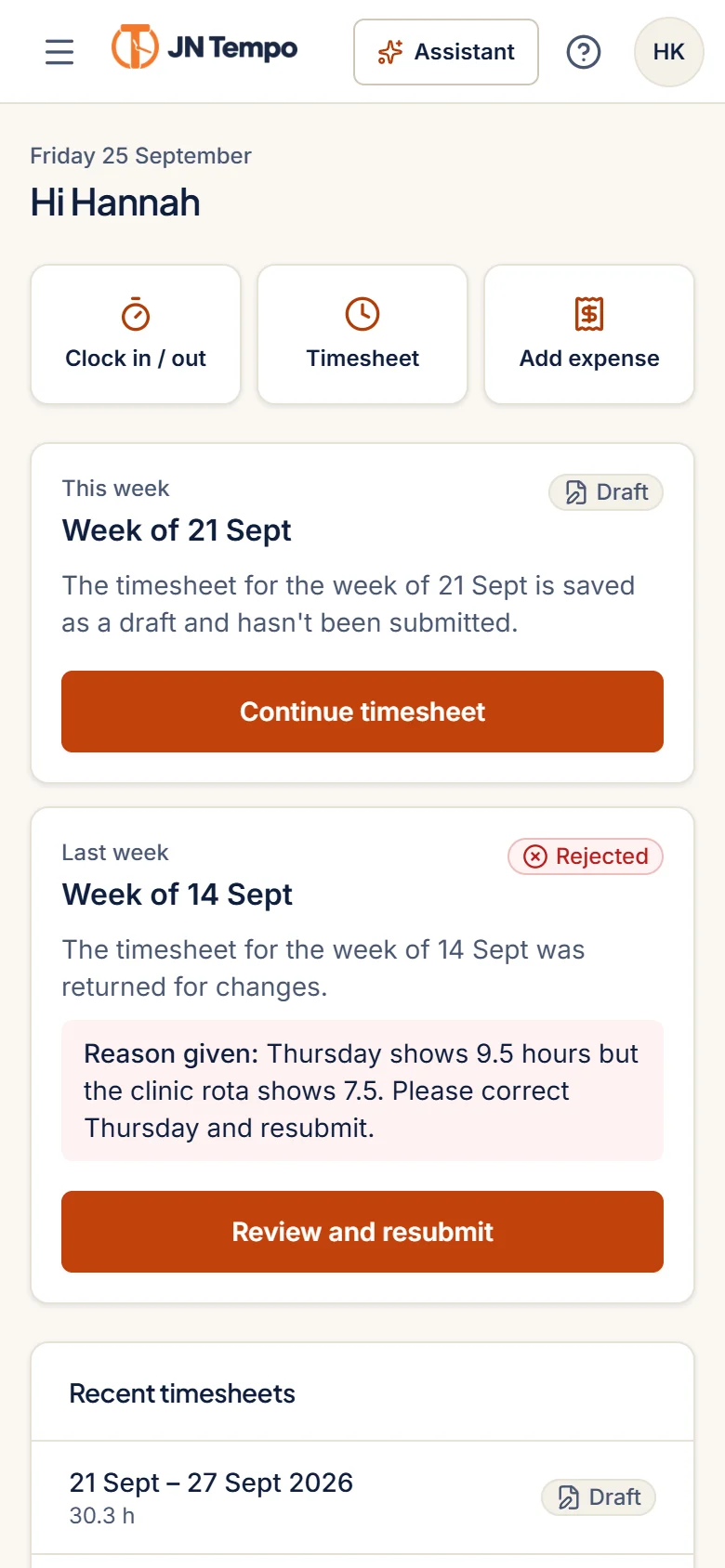
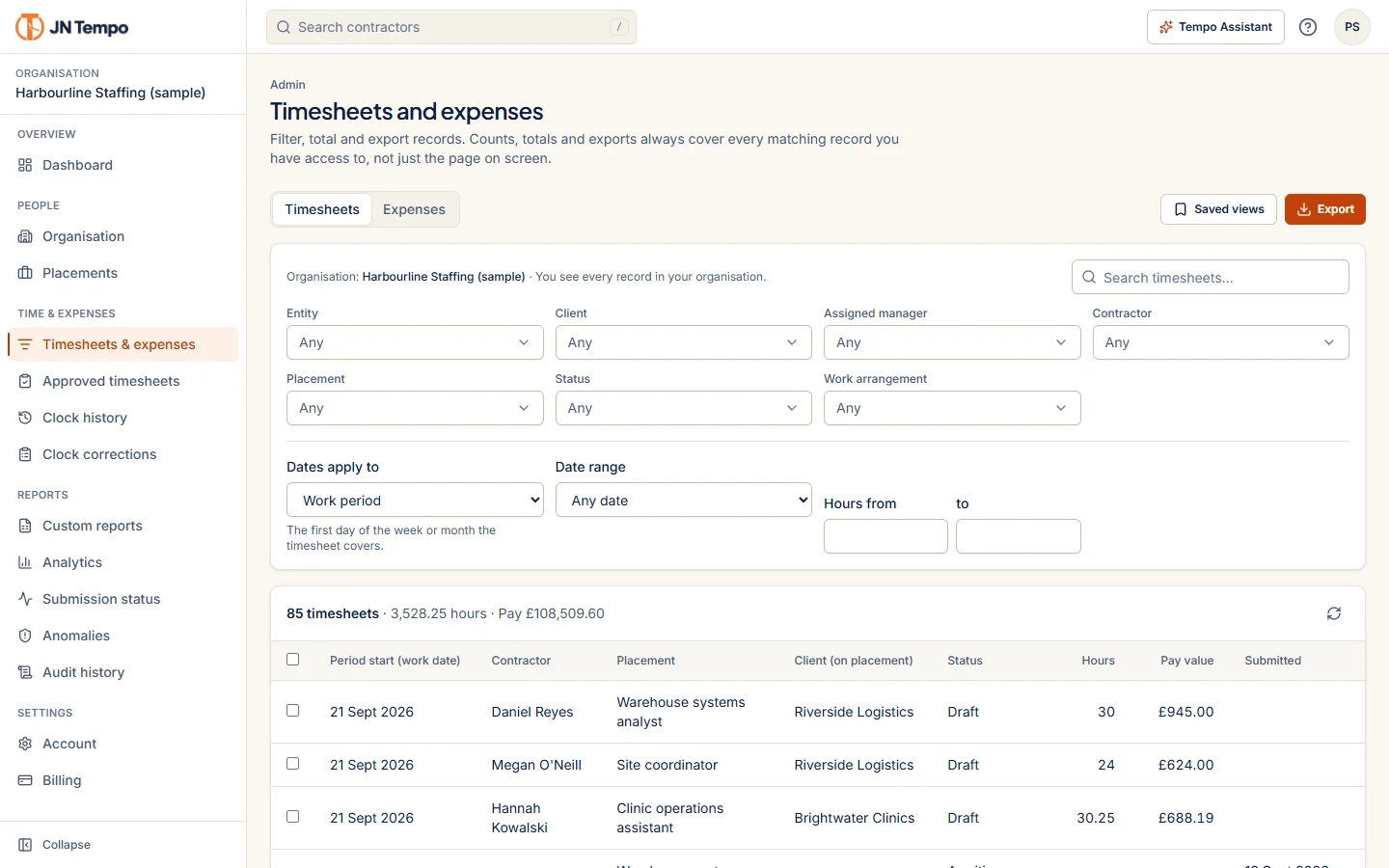
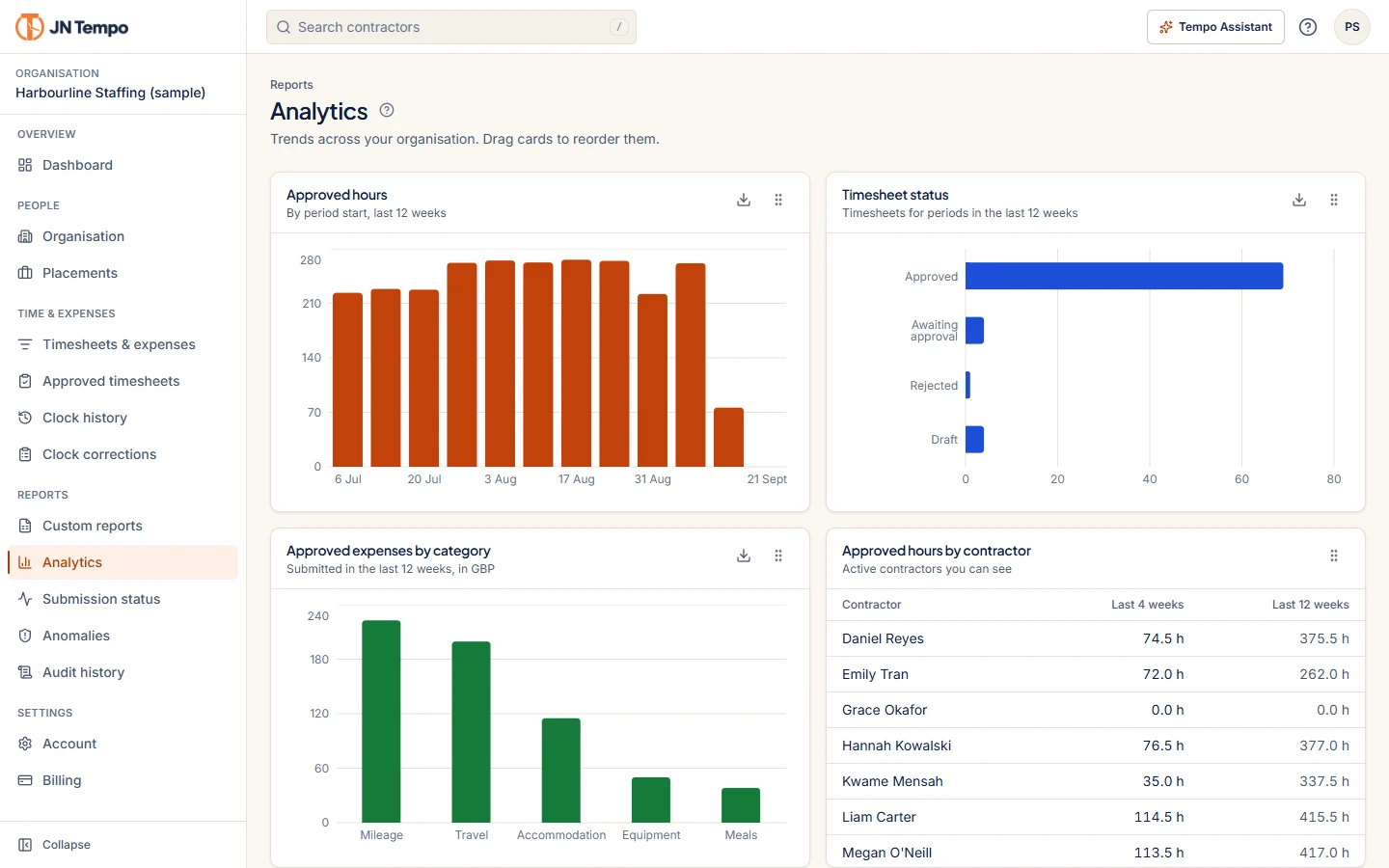
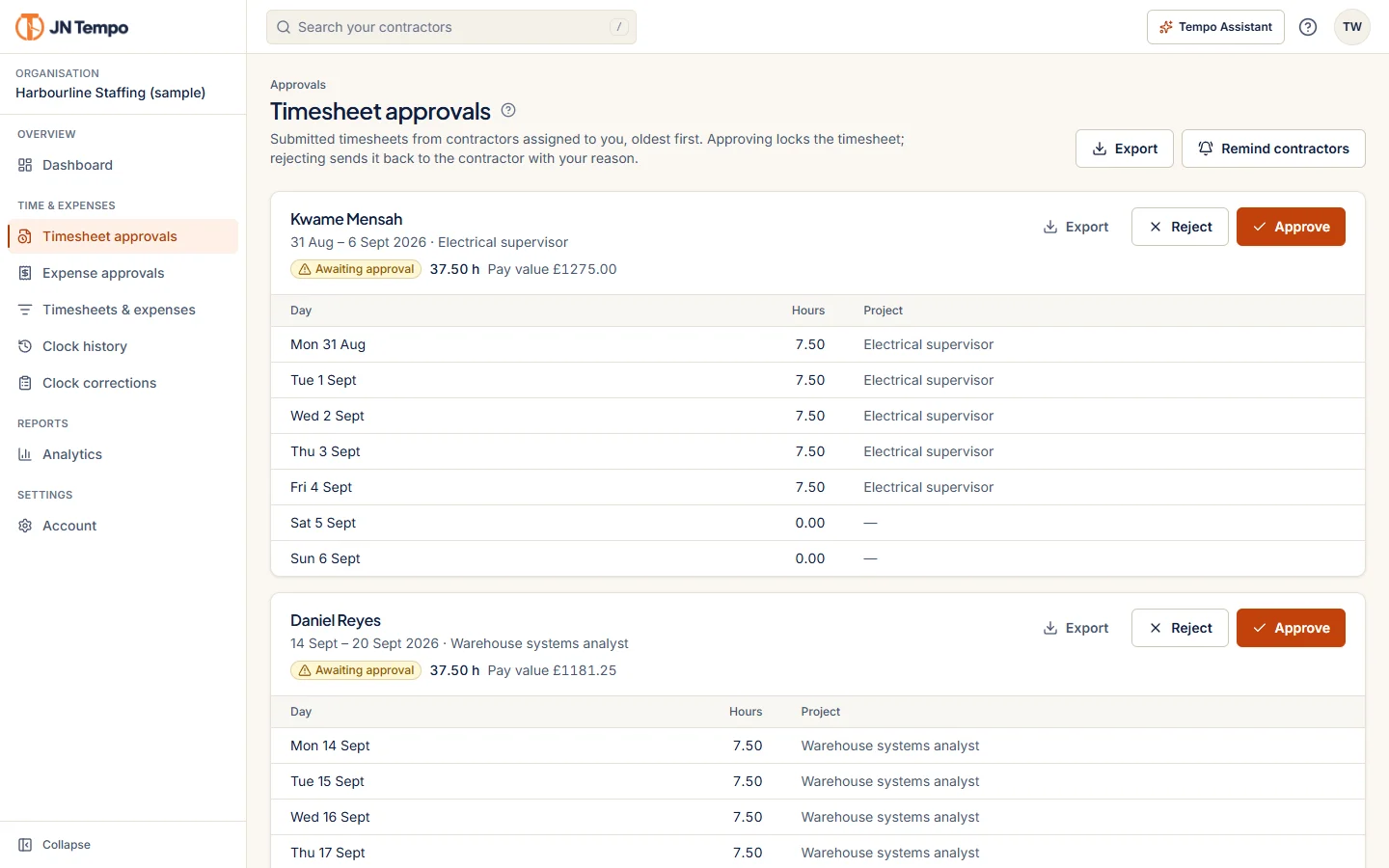
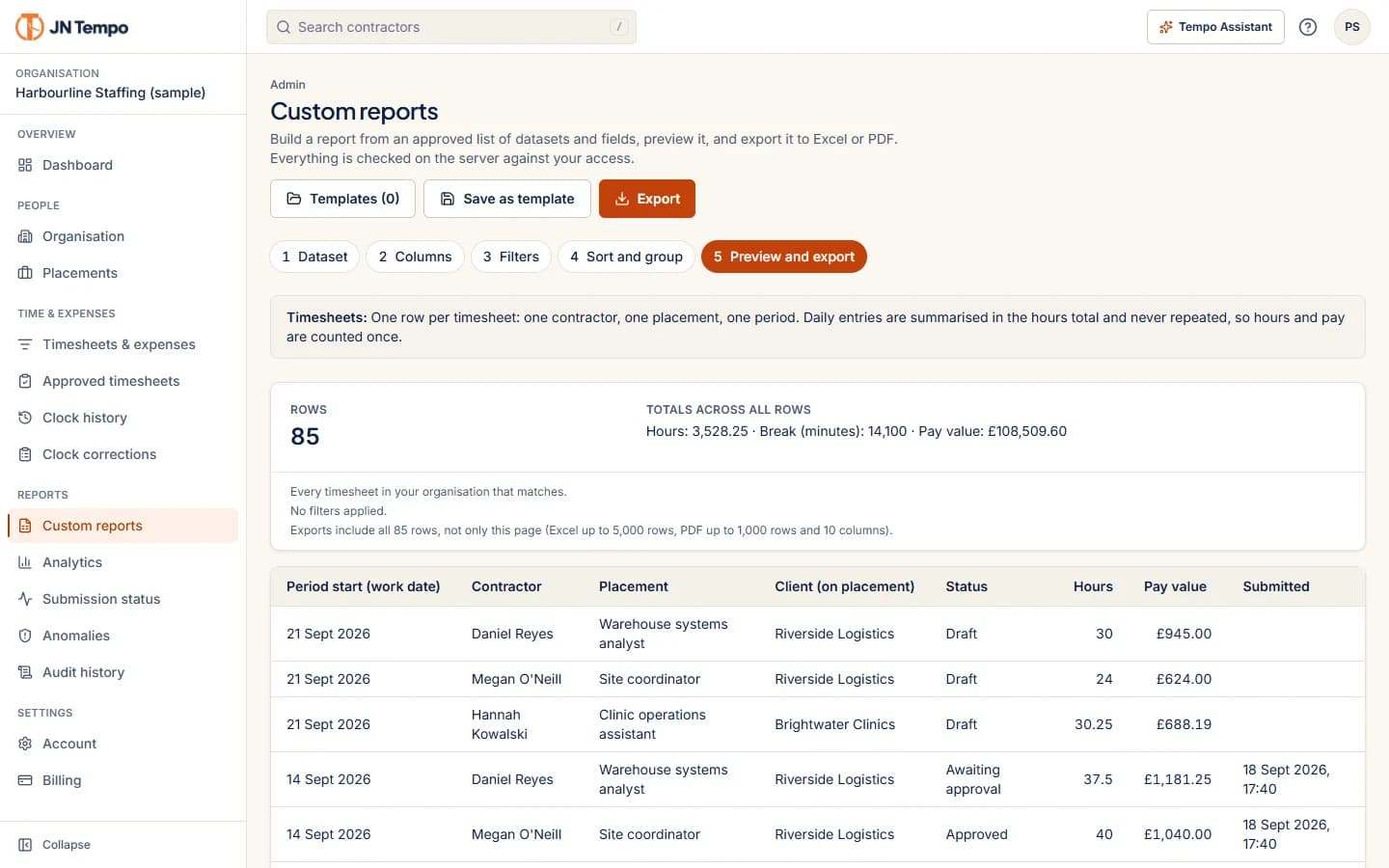
Real screens from the live product, shown with a sample organisation. Browse dashboards, approvals, reports and the contractor view on a phone.
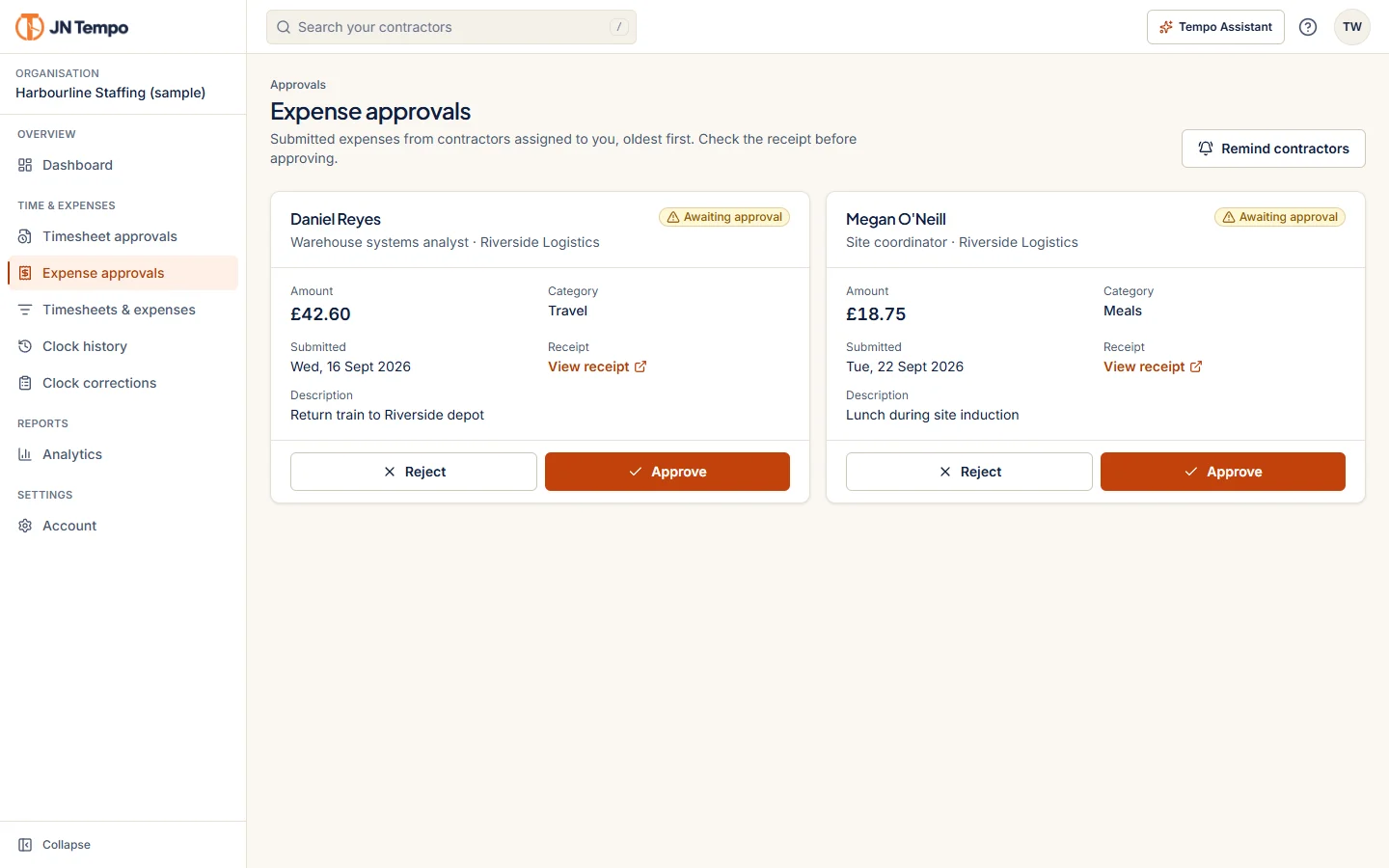
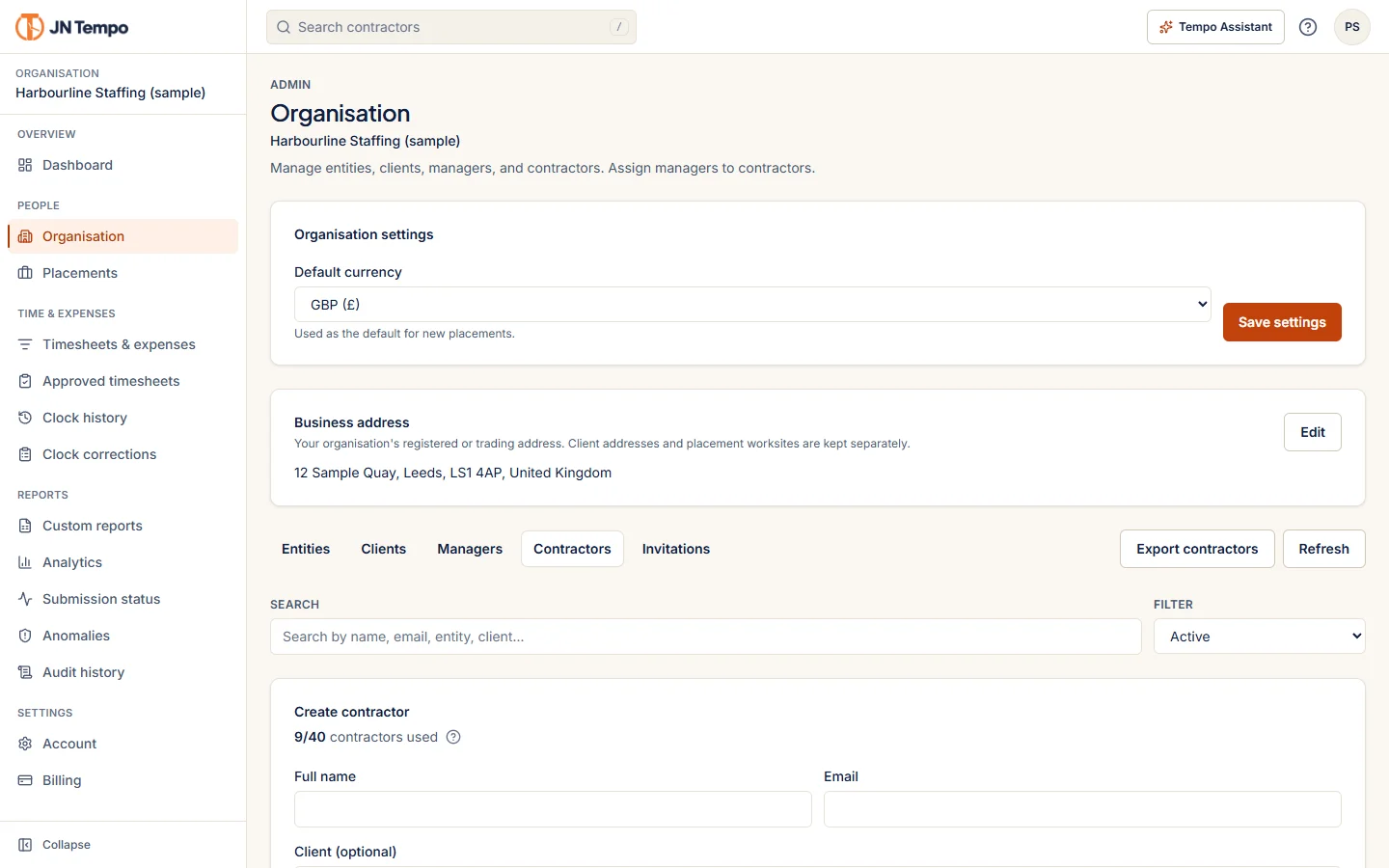
1 of 10
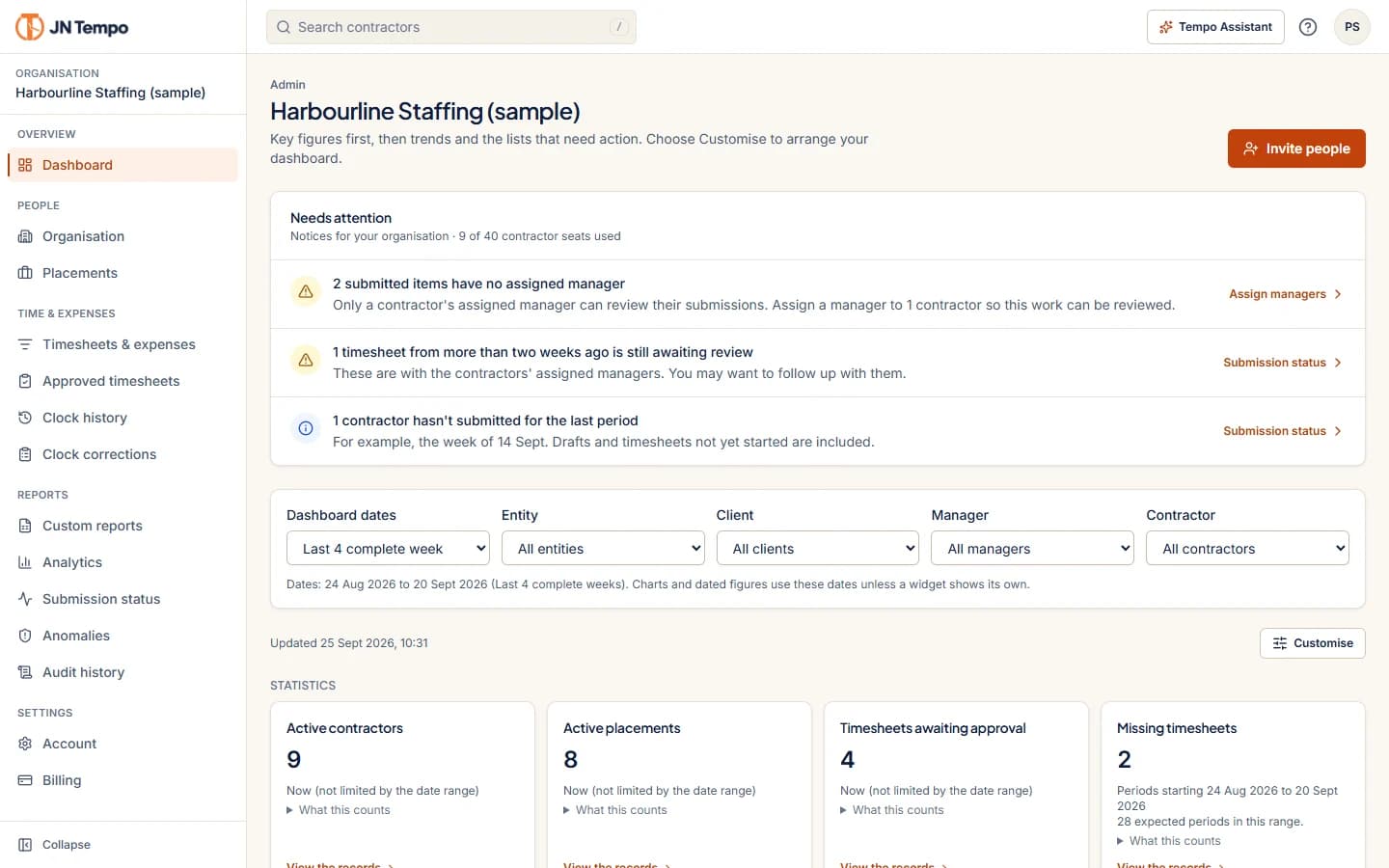
Dashboard
Key figures come first: active contractors and placements, approvals waiting and missing timesheets, each with the dates it covers.
Real screens from jntempo.jnhorizon.com. Sample organisation and data shown.
WHAT JN TEMPO DOES
Everything the working day needs.
V2.0.0 is the release where JN Times became JN Tempo. It went live on 29 September 2026, and the wider rollout continues. Each item below says where it stands.
Available now means it is listed on the live product site. Part of the V2.0.0 rollout means it is in scope and still being completed.
Brand and experience
JN Times is now JN Tempo.
A new name and a refreshed navy and orange design, with screens that work as well on a phone as they do at a desk.
- Rebrand from JN Times to JN Tempo, with the same account and dataAvailable now
- New orange and navy designAvailable now
- Light and dark themesAvailable now
- Contractor screens designed for phones firstAvailable now
- Collapsible navigationAvailable now
- Dashboard widgets that admins and managers can arrangeAvailable now
Time and approvals
From first clock in to approved timesheet.
Contractors record their week from any device. Managers see everything waiting for them in one queue, with the detail needed to check it.
- Weekly and monthly timesheet periods, set per placementAvailable now
- Server timed clock in and out records with breaksAvailable now
- One approval queue per manager, with a reason recorded for every returnAvailable now
- Email notifications and one click remindersAvailable now
- Submission status showing who has and has not submittedAvailable now
- Expense claims with receipts, reviewed by the same managerAvailable now
Purchase order tracking
Purchase orders that stay close to the work.
Purchase order tracking is part of the V2.0.0 rollout. It is designed to keep each order connected to the contractors and placements it covers.
- Purchase orders linked to contractors and placementsPart of the V2.0.0 rollout
- PDF attachments for the original orderPart of the V2.0.0 rollout
- Remaining balance and expiry warningsPart of the V2.0.0 rollout
- Read and write permissions for managersPart of the V2.0.0 rollout
These items are in the V2.0.0 rollout scope and are not yet listed on the live JN Tempo site. Check the product site for what is available today.
Contractor billing
Billing built on approved hours.
Contractor billing is part of the V2.0.0 rollout. Billing records are planned to draw on approved time, so the figures trace back to the work.
- Weekly and monthly billing schedulesPart of the V2.0.0 rollout
- Payment due remindersPart of the V2.0.0 rollout
- Approved hours with approver detailsPart of the V2.0.0 rollout
- Rates, currencies and totalsPart of the V2.0.0 rollout
- Optional purchase order referencesPart of the V2.0.0 rollout
These items are in the V2.0.0 rollout scope and are not yet listed on the live JN Tempo site. JN Tempo does not make payments on your behalf.
Exports and reporting
Reports that connect the details.
Build reports from approved fields, preview them and export them. Exports follow the filters you set and the access your role allows.
- Excel and PDF exports that follow your filters and date rangeAvailable now
- Custom reports with datasets, columns, filters and groupingAvailable now
- CSV exports for payrollAvailable now
- Totals kept separate by currencyAvailable now
- Validated Xero compatible billing filesPart of the V2.0.0 rollout
Contractor information
The details that matter, kept together.
Admins can record the information they need about each contractor and placement. JN Tempo records what you enter. It does not decide employment status or give legal advice.
- Recorded IR35 status, engagement type and payment arrangement per placement, visible only to admins, with a change historyAvailable now
- Private notes, left out of exports unless an admin includes themAvailable now
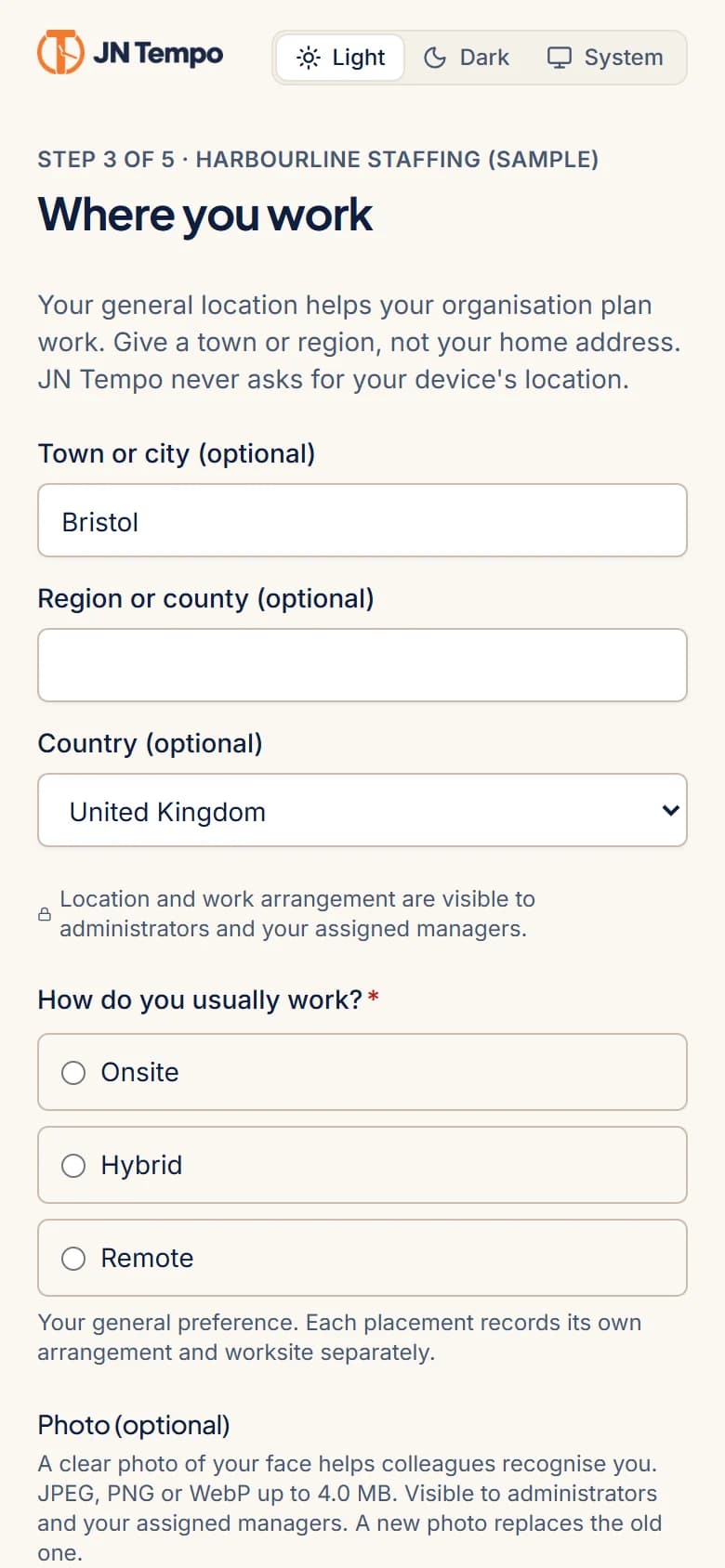
- Work location and work arrangement captured during onboardingAvailable now
- Limited company detailsPart of the V2.0.0 rollout
- Optional bank details with restricted accessPart of the V2.0.0 rollout
- Expanded profiles with contract datesPart of the V2.0.0 rollout
Roles and onboarding
The right view for everyone involved.
Admins run the organisation, managers review and approve, and contractors record their week. Each person sees what their role allows.
- Dashboards shaped around admins, managers and contractorsAvailable now
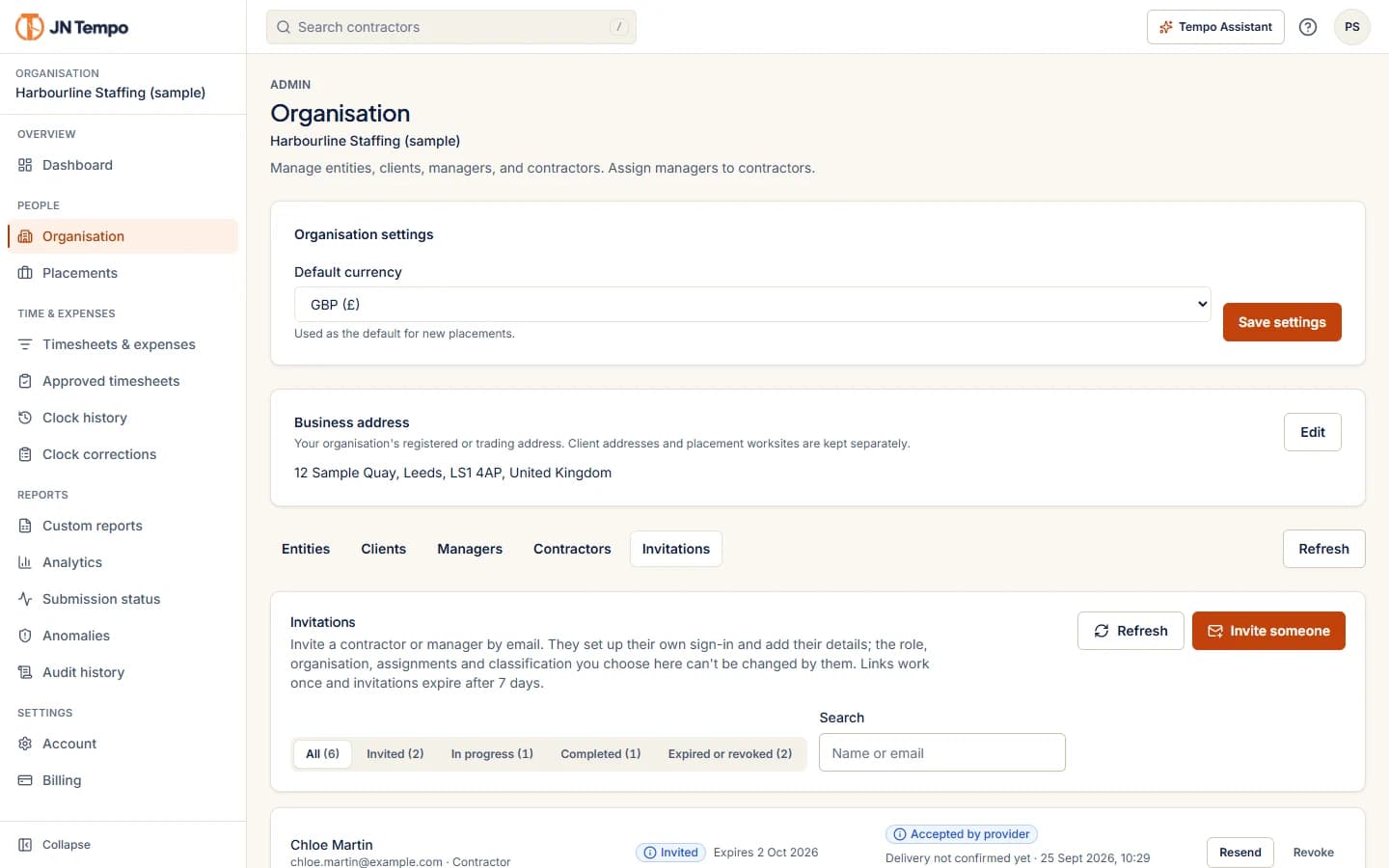
- Email invitations with delivery status, resend and revokeAvailable now
- Self onboarding in short steps, saved as people goAvailable now
- Three step sign up with email verificationAvailable now
- Welcome emails with a link to set a passwordAvailable now
- AI assistance on role aware dashboardsPart of the V2.0.0 rollout
- Inviting additional adminsPart of the V2.0.0 rollout
Corrections and support
Help in the place you need it.
Mistakes happen. Corrections go through the right person, and every change is kept in the history.
- Clock correction requests with a reason, approved or rejected by the managerAvailable now
- Approval and audit history that admins can exportAvailable now
- A guided tour for each roleAvailable now
- Help buttons beside the settings that need explainingAvailable now
- Help and Support with frequently asked questionsAvailable now
- Published Terms, Privacy Notice and Data Processing AgreementAvailable now
Security work
Built with care for contractor data.
Security work is ongoing across organisation isolation, permissions, uploads, exports and APIs. No software can promise perfect security, so this work continues with every release.
- Organisations kept apart in the database with row level securityAvailable now
- Access that follows each person's roleAvailable now
- Exports created on request and never stored at a public addressAvailable now
- Card payments handled on Stripe's own checkout pagesAvailable now
- Further hardening of uploads and APIsPart of the V2.0.0 rollout
PRICING
One plan, with room to grow.
Every feature and 20 contractor accounts included. Add capacity when you need it.
Monthly
Billed monthly.
£79per month
- 20 contractor accounts included
- Admin, manager and contractor roles
- Timesheets, clock in and out, and expenses
- Approvals, reminders and notifications
- Analytics, and Excel, PDF and CSV exports
Annual
Billed annually.
£799per year
£149 less than twelve monthly payments.
- Everything in the monthly plan
- 20 contractor accounts included
- One payment for the year
Contractor capacity
Billed monthly, on either plan.
£25per month
- Each pack adds 20 contractors
- Add packs from the Billing page as you grow
The JN Tempo site lists a 14 day free trial with no card needed to start. Prices as listed on the product site in October 2026.
View current pricing on JN TempoQUESTIONS
Frequently asked questions.
JN Tempo is software for recruitment agencies and teams that work with contractors. It brings timesheets, clock records, approvals, expenses and reporting into one place, with purchase orders and contractor billing part of the V2.0.0 rollout. It runs in the browser on phones, tablets and computers.
JN TEMPO BLOG
Notes on contractor time and billing.
Practical guides on timesheets, approvals, purchase orders, billing and reporting for teams that work with contractors.

Bring your working day into focus.
Time, approvals and reporting for teams that work with contractors.
Open JN Tempo