Building Useful Reports From Contractor Time Data
Reports are only useful if someone acts on them. Here is how to build contractor time reports that answer real questions and stay consistent month after month.

Contractor time data is valuable beyond payroll and invoicing. It can show which clients are growing, which placements are running over, where approvals get stuck and how expenses are trending. Yet many teams only ever export a raw list of timesheets and stop there. The data is collected, but the questions are never asked.
This article covers how to build reports from contractor time data that people actually use.
Begin with a question, not a dataset
The most common reporting mistake is starting with everything that is available and hoping something useful emerges. Start instead with a specific question and the person who will act on the answer. Write the question at the top of the report or in its name. When someone opens it months later, they will know what it was built to answer and whether it still matters.
Typical questions, and the people asking them, look like this.
- Finance wants approved hours and amounts by client for the month, split by currency.
- Account managers want hours by placement compared with the previous period.
- Operations wants to know which managers have approvals outstanding.
- Directors want a quarterly view of hours and expenses by client.
Use approved data for anything financial
Decide which statuses each report should include. Reports about money, such as billing or pay, should use approved data only. Reports about workflow, such as outstanding approvals, need submitted and returned items too. Mixing the two leads to figures that do not match each other.
Workflow reports are most useful while the period is still open, when there is time to chase what is missing. Financial reports belong after approvals are complete.
Make the status filter visible on the report itself, so anyone reading it knows what was counted. JN Tempo analytics are based on approved hours, pay and expenses, by week, contractor and placement, which makes them a sound basis for financial questions.
Choose columns, filters and grouping deliberately
Once the question is clear, the report almost designs itself. Choose only the columns that help answer it, apply filters for the right people, clients, placements, statuses and dates, and group the results in the way the reader thinks, for example by client and then by placement.
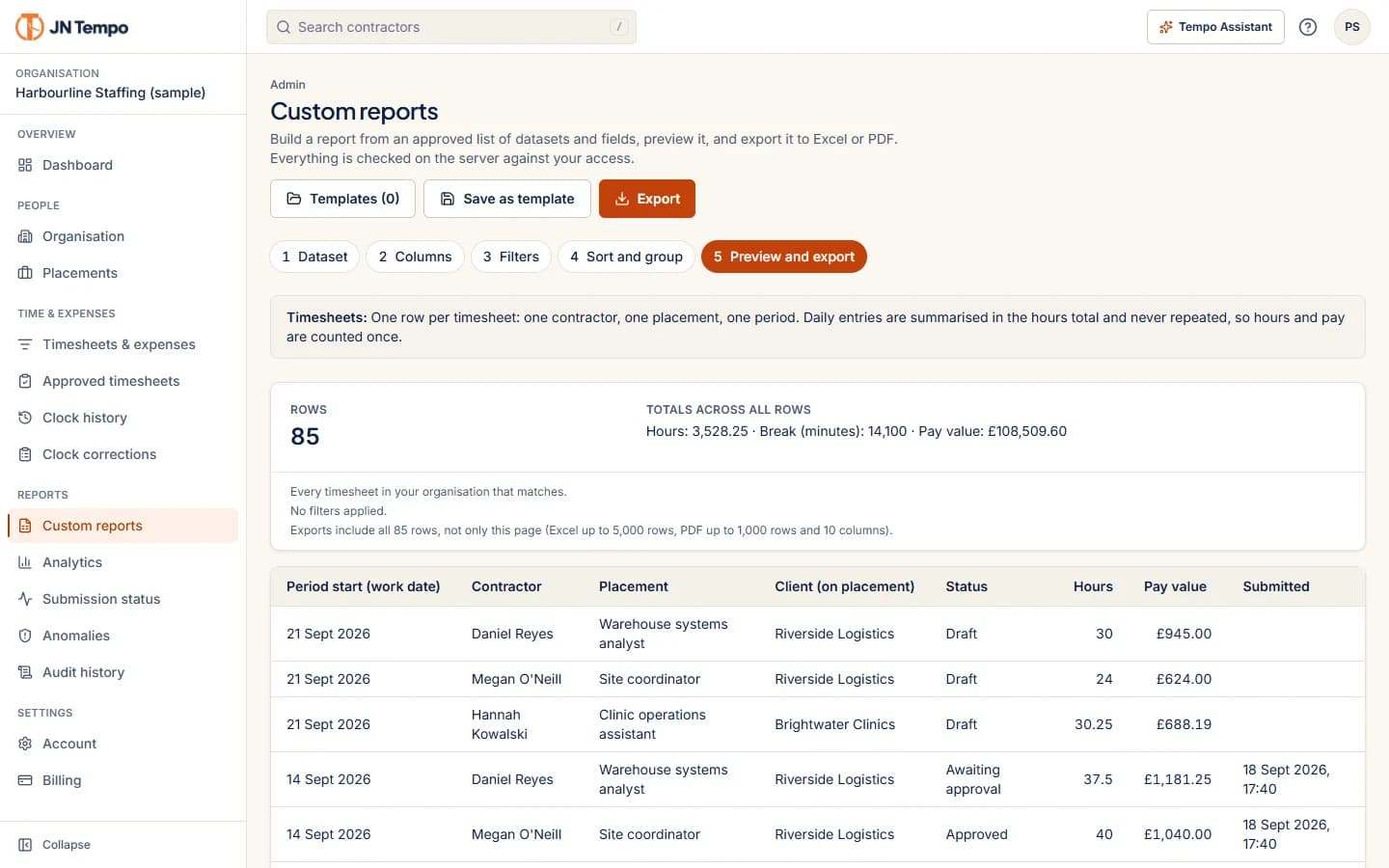
JN Tempo custom reports follow this pattern. You choose a dataset, the columns, filters and grouping, preview the result and export it to Excel or PDF. Fields come from an approved list, and sensitive fields are left out unless an admin adds them, so a report built for a client does not accidentally include internal information.
Keep currencies and periods consistent
Two details cause more confusion in reports than anything else. The first is currency. Never add amounts in different currencies into one total. Keep a separate total for each, as JN Tempo does in its filters, totals and exports.
The second is the period. Be clear whether a report covers calendar months, timesheet periods or billing periods, and keep that consistent from one report to the next. A month based report built from weekly timesheets needs a rule for weeks that cross the month end.
Save and reuse what works
A report that is rebuilt from scratch each month will be built slightly differently each time. Save the filters and layout once and reuse them. That makes month on month comparisons reliable and saves time.
In JN Tempo, saved views keep your filters for day to day work, and custom report templates are private to the person who saved them. If several people need the same report, agree one owner who keeps the template and shares the output.
Name templates clearly, including the question they answer and the period they cover, so the right one is easy to find.
Share reports safely
Before a report leaves your organisation, check who will see it and what it contains. Exports in JN Tempo are created on request and never stored at a public address, managers can export only their assigned contractors, and private notes are left out unless an admin includes them. The preview before a file is generated is a good moment to check.
Still, the final check is yours. Look at the columns, the date range and the contractor list before sending. A two minute review avoids sending one client's data to the wrong person.
A reporting routine to start with
If you are starting from nothing, a small set of regular reports covers most needs. Begin with approved hours and amounts by client each month, outstanding submissions and approvals each week, and expenses by category each month. Review them for a few months, drop anything nobody reads, and add new reports only when a new question comes up. You can build all of these during a 14 day free trial at jntempo.jnhorizon.com.
See how JN Tempo handles it
Timesheets, approvals, expenses and reporting for teams that work with contractors.