Keeping Contractor Profiles and Business Details Organised
Scattered contractor details cause billing errors and awkward questions. Here is how to keep profiles, company details and placement records organised and access controlled.

Every contractor you work with comes with a set of details. Contact information, the placement they are on, contract dates, how they are paid and, for many, a limited company. When these details are spread across emails, spreadsheets and individual inboxes, small errors creep in. An invoice goes to an old address, a contract end date passes unnoticed, or nobody can say which company a contractor currently works through.
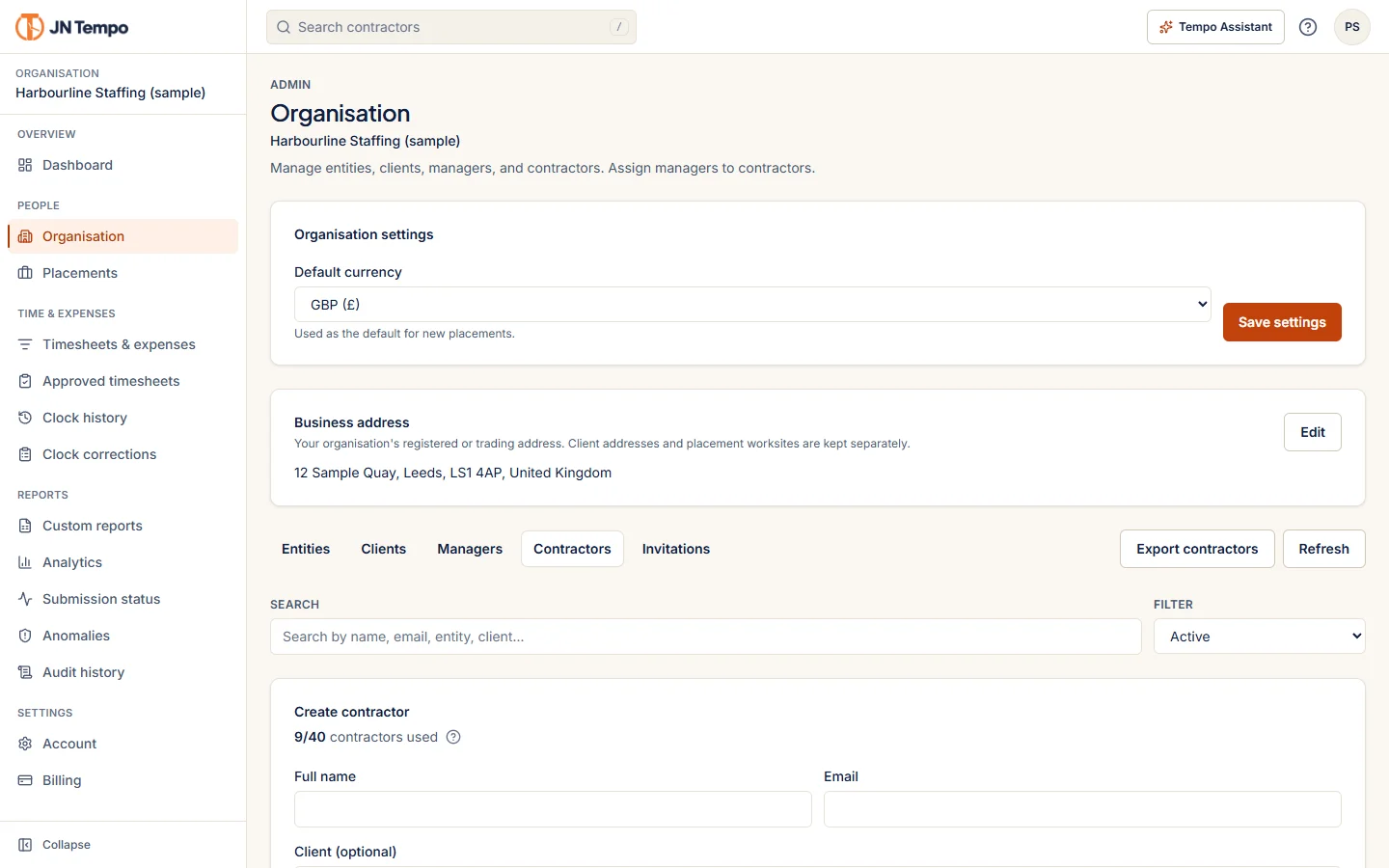
This article sets out how to keep contractor profiles and business details organised, who should see what, and how JN Tempo handles this today and as part of the V2.0.0 rollout.
Decide what a complete profile contains
Start by agreeing what information you actually need for each contractor. Collecting more than you need creates risk without benefit, while collecting too little leads to repeated requests.
Write the list down and apply it to everyone, so profiles are consistent and gaps are easy to spot. If a field is rarely used, ask whether you need it at all. A typical contractor profile might include the items below.
- Name, contact email and phone number.
- The placements they are on, with start and end dates.
- Their manager or approver for each placement.
- Engagement type and payment arrangement.
- Limited company name and registration details, where relevant.
- Bank details, only if your process genuinely requires you to hold them.
Let contractors enter their own details
The person most likely to know a contractor's details correctly is the contractor. Self onboarding, where contractors complete their own profile, reduces retyping errors and saves admin time. It works best when the admin sets the parts that must not change, such as role and assignments, and the contractor fills in the rest.
JN Tempo invitations work this way. Admins invite contractors by email and can see delivery status, resend or revoke. Invitees complete self onboarding on any device with progress saved, and cannot change the role, organisation or assignments the admin chose. Invitation links work once and expire.
Separate placement records from personal details
Some information belongs to the placement rather than the person. A contractor might be engaged one way on one placement and differently on another. Recording engagement type, payment arrangement and IR35 status per placement, rather than once per contractor, reflects how engagements actually work.
JN Tempo provides admin only placement records for engagement type, payment arrangement and IR35 status, with a change history. These are for your own reference. JN Tempo does not work out, suggest or certify anyone's status. Under HMRC guidance, responsibility for deciding status under the off payroll working rules sits with the client in most cases, or with the worker's intermediary where the client is a small business outside the public sector. Take professional advice where you are unsure.
Restrict access to sensitive details
Not everyone who works with a contractor needs to see everything about them. Managers need to know who they approve and what hours were worked. They rarely need payment arrangements or bank details. Limiting access reduces the chance of information being shared by mistake.
A good rule is to give each role the minimum it needs and to review access when people change jobs or leave. Keep a record of changes to sensitive fields so you can see who changed what and when. JN Tempo keeps placement records visible only to admins, and its audit log records changes to contractors and placements.
Remember that exports can carry sensitive details too. JN Tempo leaves private notes out of exports unless an admin includes them, and custom reports leave sensitive fields out unless an admin adds them.
Limited company and bank details in the rollout
As part of the V2.0.0 rollout, JN Tempo is adding limited company details, optional bank details with restricted access and expanded profiles with contract dates. These are being rolled out in stages and are not yet listed on the live product site.
Bank details are optional for a reason. Only store them if your process needs them, and treat them with care whatever system you use. Restricted access lowers the number of people who can see them, but no system removes the need for your own sensible handling, such as checking any request to change bank details directly with the contractor before acting on it.
Keep profiles current
Profiles go stale quietly, so build a few habits into your routine to keep them accurate. If you would like a single place to keep contractor profiles, placements and approvals together, you can start a 14 day free trial at jntempo.jnhorizon.com.
- Review contract end dates monthly and contact clients about extensions early.
- Ask contractors to confirm their details when a placement starts or is extended.
- Archive or close records promptly when a placement ends.
- Check that each active contractor has a manager assigned.
See how JN Tempo handles it
Timesheets, approvals, expenses and reporting for teams that work with contractors.